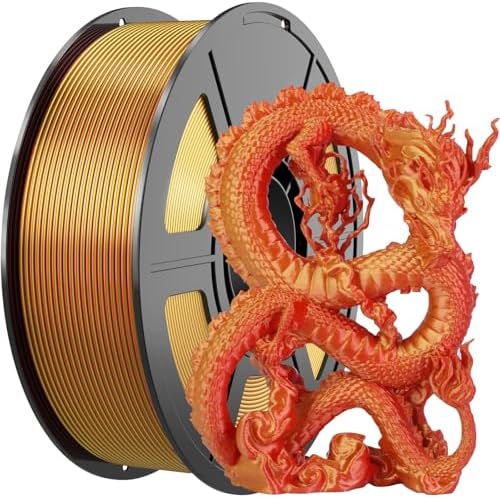
Amoybaby Silk PLA 3D Printer Filament 1kg Gold-Red Dual PLA Filament 1.75mm
Compare all 10 Amoybaby PLA Silk 1kg listings →
Is this a good price? Every Thursday we email the cheapest price per kg for each major material, plus our best buy of the week.
Product Details
- Dual Color Silk PLA: Amoybaby filament delivers an eye-catching and smooth finish, making your 3d prints stand out from the crowd. Without polishing, you can get a gorgeous 3D printing surface. silk red and shiny gold combination of magic 1.75mm PLA filament, make the two sides of your print appear in different colors
- Clog-Free & Bubble-Free: Amoybaby dual color silk filament adopting vacuum packaging and equipped with desiccant, drying for 24 hours before packaging. Using mechanical winding and manual inspection to protect the filament from moisture, no clogging and bubbling problems
- Dimensional Accuracy & Wide Compatibility: Dual color silk PLA filaments of 1.75 mm diameter, diameter tolerance at +/-0.03mm.Compatible with most FDM 3D printers and 3D pen on the market. Its consistent diameter and low shrinkage properties contribute to smooth extrusion and reliable flow during the printing process
- Premium Quality & Easy to Print: Amoybaby silk dual color PLA is made of 100% high-quality raw materials, free from clumps and bubbles, with good melting, toughness, and layer adhesion. Feed smoothly and constantly without clogging the nozzle or extrude
- Recommend Settings & Print your creations: We suggest setting the nozzle temperature to 200-230℃, the hot bed temperature to 50-60℃, and the printing speed reach to 300mm/s when using Silk PLA filament printing. Amoybaby PLA's excellent bridging and overhang capabilities enable the creation of intricate and complex designs with precision and stability
From the listing on Amazon.
View our other Amoybaby listings here.
View our other PLA listings here.
Keep your filament dry, view our gear here.
Printing Amoybaby PLA
Amoybaby PLA in Silk Gold runs on the PLA profile below, and this listing is a 1kg spool. PLA is best suited to everyday prototypes, models, and indoor parts that won't face heat or heavy stress. Brands and even individual spools vary, so treat these as starting points and run a quick temperature tower to lock in the sweet spot for your printer.
Ranges checked against Bambu Lab, Prusament and Polymaker data. Heat resistance is the heat deflection temperature (HDT). Read our PLA filament guide for bed adhesion, drying, troubleshooting, and material-specific tips.
Nozzle Compatibility
This is an unfilled plastic, so it is not abrasive: a brass nozzle works and lasts, and so does hardened steel. With hardened steel, print about 5 to 10°C hotter.
Based on Bambu Lab and Prusa guidance. More in our nozzle types guide.