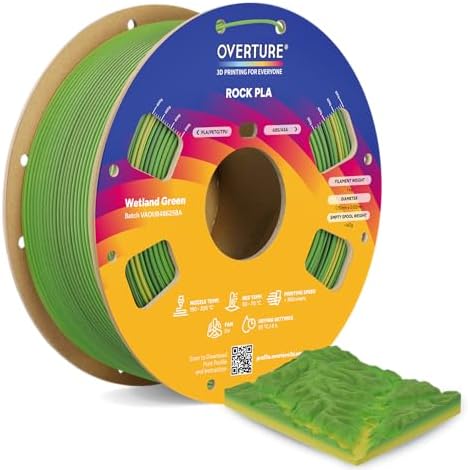
OVERTURE Rock PLA Filament 1.75mm, Marble PLA, 1kg Wetland Green | Natural Stone-Like Finish, 1kg (2.2lbs), High Precision +/- 0.02mm, Fit Most FDM 3D Printers (Wetland Green)
Compare all 56 OVERTURE PLA 1kg listings →
Is this a good price? Every Thursday we email the cheapest price per kg for each major material, plus our best buy of the week.
Product Details
- 【Vibrant Natural Marble PLA in Dynamic Rainbow】Capture the organic beauty of natural stone with OVERTURE Marble PLA Filament. This unique PLA marble blends a spectrum of earthy and vibrant hues into every print, creating dynamic color transitions perfect for artistic sculptures, modern décor, and statement pieces that stand out
- 【Realistic Matte Stone Texture & Natural Finish】Achieve authentic stone-like aesthetics with a premium matte finish using our Marble Filament PLA. Each print replicates the tactile surface and visual depth of natural rock, offering a realistic texture ideal for architectural models, figurines, and designs where tactile realism enhances the final product
- 【Versatile Across Creative & Functional Prints】Whether you’re crafting terrain for dioramas, artistic sculptures, custom jewelry, or modern décor, this marble PLA filament adapts to both aesthetic and structural needs. Its reliable layer adhesion ensures clean color transitions and durable prints every time
- 【Less Tangle & Hassle】Our meticulous winding and manual inspection guarantees a tidy, tangle-free filament. Featuring a larger inside diameter, our spools minimize friction for smoother feeding, ensuring a hassle-free printing experience
- 【Supported & Smooth Printing】 Print with confidence. Overture filament comes with dedicated support and a 1-year shelf life for unopened spools (proper storage required). We're committed to timely solutions for a seamless printing experience. Your reliable 3D printing partner
From the listing on Amazon.
View our other OVERTURE listings here.
View our other PLA listings here.
Keep your filament dry, view our gear here.
Printing OVERTURE PLA
OVERTURE PLA in Green runs on the PLA profile below, and this listing is a 1kg spool. PLA is best suited to everyday prototypes, models, and indoor parts that won't face heat or heavy stress. Brands and even individual spools vary, so treat these as starting points and run a quick temperature tower to lock in the sweet spot for your printer.
Ranges checked against Bambu Lab, Prusament and Polymaker data. Heat resistance is the heat deflection temperature (HDT). Read our PLA filament guide for bed adhesion, drying, troubleshooting, and material-specific tips.
Nozzle Compatibility
This is an unfilled plastic, so it is not abrasive: a brass nozzle works and lasts, and so does hardened steel. With hardened steel, print about 5 to 10°C hotter.
Based on Bambu Lab and Prusa guidance. More in our nozzle types guide.